
Updated September 2026

Brian Rosemorgan
Retired Professional Trader | 8+ Years Experience | South Africa
Questions?
Forex VPS Explained: Why Automated Traders Use a Virtual Private Server
A Forex Virtual Private Server (VPS) is a remote computer hosted in a professional data centre that can run your trading platform and Expert Advisors without requiring your personal computer to remain switched on. VPS hosting is particularly useful for traders who operate automated trading systems that need to remain connected to their broker for extended periods.
An Expert Advisor does not operate independently of its trading environment. The EA normally runs inside a platform such as MetaTrader, which must remain open, connected to the broker and able to receive market data and send trading instructions. If the computer running that platform shuts down, loses its internet connection, restarts, installs an update or experiences a power interruption, the automated system may stop operating.
A VPS can reduce these practical interruptions by moving the trading platform to a remote server designed for continuous operation. This does not make the underlying strategy more profitable, improve poor programming or remove trading risk. Its main purpose is to provide a more stable environment in which an already-tested automated system can operate.
In this lesson, you will learn what a Forex VPS does, why automated traders use one, how reliability and latency affect an automated setup, what VPS specifications matter, and when a beginner may actually need one.
1. What Is a Forex VPS?
A Forex VPS is a virtual computer hosted remotely in a professional data centre. Instead of running your trading platform directly on your home computer, you connect to the VPS remotely and install software such as MetaTrader 4 or MetaTrader 5 on the server.
Once the platform is installed and configured, an Expert Advisor can run on the VPS while the physical computer you normally use can be switched off. The VPS continues operating because it is hosted independently of your home electricity supply and normal household internet connection.
This is particularly relevant to automated trading because an EA normally needs the trading platform to remain open and connected. If you close MetaTrader on your home computer, shut down the computer or lose the internet connection, the EA cannot continue operating from that computer.
It is useful to understand the difference between the VPS, trading platform and broker. The VPS provides the computing environment. MetaTrader or another supported platform runs inside that environment. The broker provides the trading account and connection to its trading infrastructure. The VPS does not replace the broker or execute trades independently of the platform.
For a beginner, the important point is that a VPS is primarily a reliability and continuity tool. It is not a trading strategy, signal service or method of generating profits.
2. Why Do Forex Robots Use a VPS?
Forex robots and Expert Advisors can require continuous access to market data and the trading platform. If an EA is designed to monitor conditions throughout the trading day, it needs the platform to remain active so that its programmed rules can respond when the required conditions occur.
Running an EA from a normal home computer can introduce several interruptions. Your computer may restart after an update, lose its internet connection, go into sleep mode, experience a power failure or simply be switched off. Even a short interruption can mean that an EA is temporarily unable to monitor the market or manage positions.
A VPS reduces many of these practical problems by moving the platform to a remote server that is designed for continuous operation. This is especially useful when the trader does not want to leave their personal computer running around the clock.
However, continuous operation does not mean continuous trading is automatically desirable. An EA should only be allowed to trade during the conditions for which it was designed and tested. A VPS can keep an EA online, but it cannot determine whether the EA should be trading in a particular market environment.
For example, if a strategy has only been tested during certain trading sessions, the trader should not assume that keeping it connected 24 hours a day will improve results. The VPS provides availability; the trading rules determine what the EA actually does.
3. VPS Reliability and Internet Connection
One of the main reasons traders use a VPS is to create a more consistent connection between their trading platform and broker. A professional data-centre environment can reduce some of the interruptions associated with home internet connections, Wi-Fi problems, electricity failures and personal computer restarts.
This matters because an automated system depends on communication between several components. Market information needs to reach the trading platform, the EA needs to process that information, and trading instructions need to be sent through the platform to the broker. Problems anywhere in this chain can affect automated execution.
A VPS can improve the stability of the computer and network environment, but it does not create a perfect connection. Server outages, broker connectivity problems, software failures, platform errors and other technical issues can still occur.
This is why monitoring remains important even when an EA is running on a VPS. Traders should know how to check whether MetaTrader is connected, whether the EA is active, whether positions are being managed correctly and whether unexpected errors have occurred.
A reliable setup should also include sensible risk controls. For example, a trader may want predefined maximum exposure, appropriate position sizing and conditions under which automated trading should be stopped. Technology should support risk management rather than replace it.
4. Server Location and Trading Latency
The physical location of a VPS can influence the network distance between the trading platform and the broker’s trading infrastructure. This distance can affect latency, which is the time required for information to travel between systems.
Lower latency can be particularly relevant to strategies that depend heavily on very fast execution. If a strategy attempts to enter or exit positions within very short time periods, even relatively small differences in communication time can become more relevant.
For many beginner automated strategies, however, it is important not to confuse extremely low latency with better trading. A strategy that operates over minutes, hours or longer periods may gain relatively little from chasing tiny improvements in network speed. Reliability, stability and correct execution can be more important than achieving the lowest possible latency.
The VPS should therefore be considered as part of the complete execution environment. Traders should consider the VPS location in relation to the broker’s infrastructure, but also look at uptime, server resources, support and compatibility.
Latency also cannot eliminate normal market risks. During major economic announcements or periods of rapidly changing liquidity, spreads can widen and execution prices can differ from expected prices. A fast VPS does not guarantee that an order will be filled at the price the EA originally calculated.
5. Choosing a VPS for Automated Trading
When choosing a VPS for automated trading, the goal is not simply to find the most powerful or most expensive server. The VPS needs to provide the resources and reliability required by your particular trading setup.
Start by checking platform compatibility. Confirm that the VPS supports the operating system and trading platform required by your EA. If you are running MetaTrader 4, for example, make sure the environment supports your MT4 installation and the Expert Advisors you intend to use. The same principle applies to MT5.
Next, consider the number of trading platforms, charts and Expert Advisors you intend to run. A simple setup with one platform and one lightweight EA may require considerably fewer resources than a system running multiple terminals, charts and automated strategies simultaneously.
Reliability is also important. Look for information about uptime, technical support, server maintenance and how the provider handles service interruptions. A low monthly price is not necessarily useful if the service regularly causes interruptions that interfere with your trading platform.
Finally, consider cost versus actual need. Beginners can easily be tempted by VPS packages with large amounts of memory or processing power that their EA does not require. The objective is to obtain a stable environment that comfortably handles the workload, rather than paying for specifications simply because they look impressive.
Before paying for a VPS, it is also worth asking whether you actually need one. If you are still learning automated trading and only testing an EA occasionally on demo, running the platform on your own computer may be sufficient. A VPS becomes more useful when continuous operation is genuinely part of your trading requirements.
💡 Brian’s Expert Advice
A VPS is useful technology, but it is not a trading strategy. This is one of the most important points I would recommend beginners remember. A VPS can help keep your EA running, but it cannot fix poor programming, excessive risk, weak testing or a trading system that loses money.
I would put the priorities in this order: understand the strategy, build sensible risk controls, backtest it, forward-test it on demo, and only then consider the technology required to run it continuously. The VPS comes after the trading system, not before it.
If you decide to use automated trading, first prove that the strategy behaves as expected on a demo account. Watch how it handles losing periods, changing market conditions, spreads and execution. Once you understand the system and have tested it properly, a VPS can provide a more reliable environment for running the platform.
Keep the setup simple. You should know which platform is running, which EA is active, what risk settings are being used and what you should do if the system behaves unexpectedly. Automation should make a clearly defined process easier to operate, not make the trading process impossible for you to understand.
| Key Feature | What You Need to Know | Actionable Takeaway |
|---|---|---|
| Continuous Operation | A VPS can keep your trading platform and EA running while your personal computer is switched off. | Use a VPS when continuous EA operation is genuinely required by your strategy. |
| Reliability | A professional server environment can reduce interruptions caused by home internet, power problems and computer restarts. | Choose a reputable VPS provider with suitable infrastructure, uptime and technical support. |
| Latency | The network distance between the VPS and broker infrastructure can affect communication speed. | Consider server location, but do not sacrifice reliability simply to chase very small latency differences. |
| Resources | The VPS needs enough CPU, memory and storage to run your trading platform, charts and Expert Advisors reliably. | Choose resources based on your actual workload rather than automatically buying the largest package. |
| Monitoring | A VPS does not guarantee that an EA or platform will always operate correctly. | Check the platform, EA status, connection and trading activity regularly. |
| Cost | VPS pricing varies according to resources, location, provider and support. | Pay for the reliability and resources you actually need, not unnecessary specifications. |
Frequently Asked Questions
1. What is a Forex VPS?
A Forex VPS is a virtual computer hosted remotely in a professional data centre. Traders can install their trading platform, such as MetaTrader 4 or MetaTrader 5, and run Expert Advisors on the VPS rather than directly on their personal computer.
The main advantage is continuity. The VPS can remain operational even when the trader’s home computer is switched off. This can be useful for automated systems that need the trading platform to remain open and connected to the broker. A VPS does not itself place trades or make a trading strategy profitable; it provides the environment in which the trading software operates.
2. Why do Forex robots need a VPS?
Forex robots may need to remain connected to the trading platform continuously so that they can monitor market conditions and respond to their programmed rules. If the computer running the EA shuts down or loses its internet connection, the EA may no longer be able to monitor the market or manage trades from that platform.
A VPS can reduce interruptions caused by home electricity failures, internet problems, computer restarts and similar issues. It therefore provides a more consistent operating environment for automation. However, the VPS does not decide when the robot should trade and cannot correct problems within the strategy itself.
3. Do I need a VPS to use an Expert Advisor?
No, a VPS is not required for every Expert Advisor. An EA can run on your own computer as long as the trading platform remains open, connected and functioning correctly.
A VPS becomes useful when you want the EA to operate continuously without leaving your personal computer switched on. For example, if your strategy is designed to monitor markets throughout the day and you do not want to rely on your home computer and internet connection, a VPS may provide a more convenient operating environment.
For beginners who are still testing an EA, there is often no need to rush into paying for VPS hosting. Learn and test the system first, then decide whether continuous operation justifies the additional cost.
4. Does a VPS make a Forex robot profitable?
No. A VPS does not make a Forex robot profitable. Its function is to provide a remote computing and connectivity environment for the trading platform.
If an EA has poor trading rules, excessive risk, unrealistic assumptions or inadequate testing, moving it to a VPS does not solve those problems. The strategy, programming, position sizing, market conditions, spread, execution and risk management remain important.
Think of a VPS as infrastructure rather than a trading advantage. It can help an already-tested system operate more consistently, but it cannot turn a losing strategy into a winning one.
5. Is a VPS useful for MT4 and MT5?
Yes. VPS hosting can be used to run both MetaTrader 4 and MetaTrader 5, provided the VPS supports the required operating environment and has enough resources for the platform and Expert Advisors being used.
The important point is that the EA itself must also be compatible with the MetaTrader version. An EA designed for MT4 should not automatically be assumed to work on MT5 simply because both platforms are offered by the same company. The underlying programming environments and platform architecture differ.
Before installing an EA on a VPS, confirm the platform version, EA compatibility and broker requirements. This can prevent technical problems later.
6. Does VPS location matter for Forex trading?
VPS location can affect network latency because data and trading instructions have to travel between the VPS and the broker’s trading infrastructure. A server that is geographically or network-wise closer to the relevant broker infrastructure may have lower communication latency.
The importance of this depends on the strategy. An automated system that relies on extremely rapid execution may be more sensitive to latency than a strategy that holds positions for much longer periods.
For many beginner systems, however, reliable operation is more important than trying to achieve the lowest possible latency. A stable VPS with adequate resources and good support can be more useful than choosing a server solely because it advertises extremely fast execution.
7. How much does a Forex VPS cost?
VPS pricing varies depending on the provider, server location, operating system, processing power, memory, storage, bandwidth and level of technical support. Some brokers may also offer VPS services subject to specific account or trading conditions.
Rather than choosing a VPS purely because it is the cheapest option, compare what is actually included. A very inexpensive service may not provide the resources, support or reliability required for your particular trading setup.
At the same time, beginners should avoid assuming that a more expensive VPS will produce better trading results. VPS cost is a technology expense, not a measure of trading profitability. Choose a service based on the requirements of your EA and platform.
8. Should beginners use a Forex VPS?
A beginner does not necessarily need a VPS immediately. The first priority should be learning how automated trading works, understanding the EA’s rules and testing the system properly on a demo account.
Once you understand the system and require continuous operation, a VPS can become a useful part of the setup. This is particularly relevant if you do not want to leave your home computer running continuously or if your normal internet and electricity supply are not suitable for uninterrupted operation.
The key is not to confuse technical infrastructure with trading readiness. Buying a VPS does not mean an EA is ready for live trading. The trading system should be tested independently of the decision to use a VPS.
9. What should I look for when choosing a Forex VPS?
Look for reliable uptime, suitable CPU and memory resources, compatibility with your trading platform, responsive technical support and reasonable pricing. Also consider the server’s location in relation to your broker and whether the VPS provider has a good process for maintenance and service interruptions.
Consider how many platforms and Expert Advisors you intend to run. One lightweight EA may require very little computing power, while several platforms running multiple charts and automated systems may require significantly more resources.
It is also worth checking whether the VPS provider offers backups, monitoring or recovery options. Most importantly, do not pay for specifications you do not need. A stable and appropriately sized VPS is generally more useful than an oversized package that adds unnecessary cost.
🛠 Brokers to Consider for Demo Trading
If you are learning automated forex trading, I recommend starting with a demo account rather than rushing into live trading. When comparing brokers, look beyond advertised spreads and consider regulation, commissions, execution, platform availability, withdrawal conditions and customer support.
The brokers below are included because they offer demo-trading options. This section contains affiliate links, so I may receive a commission if you open an account through one of the links. This does not mean that either broker is suitable for every trader. Always research the broker yourself and verify its current regulatory status and trading conditions before opening an account.
XM
✔ Demo account available
✔ MT4 & MT5
✔ Multiple account options
✔ Educational resources
An option to investigate if you want to practise automated trading on demo while comparing its platforms, costs and account conditions.
AvaTrade
✔ Demo account available
✔ MT4 & MT5
✔ AvaTradeGO platform
✔ Educational resources
Another option to investigate if you want to compare platforms, trading conditions and educational resources while practising on demo.
Important: Spreads, commissions, leverage and other trading conditions can change. Always check the broker’s current terms, costs, regulation and withdrawal requirements before opening an account.
📘 Forex Trading for Beginners
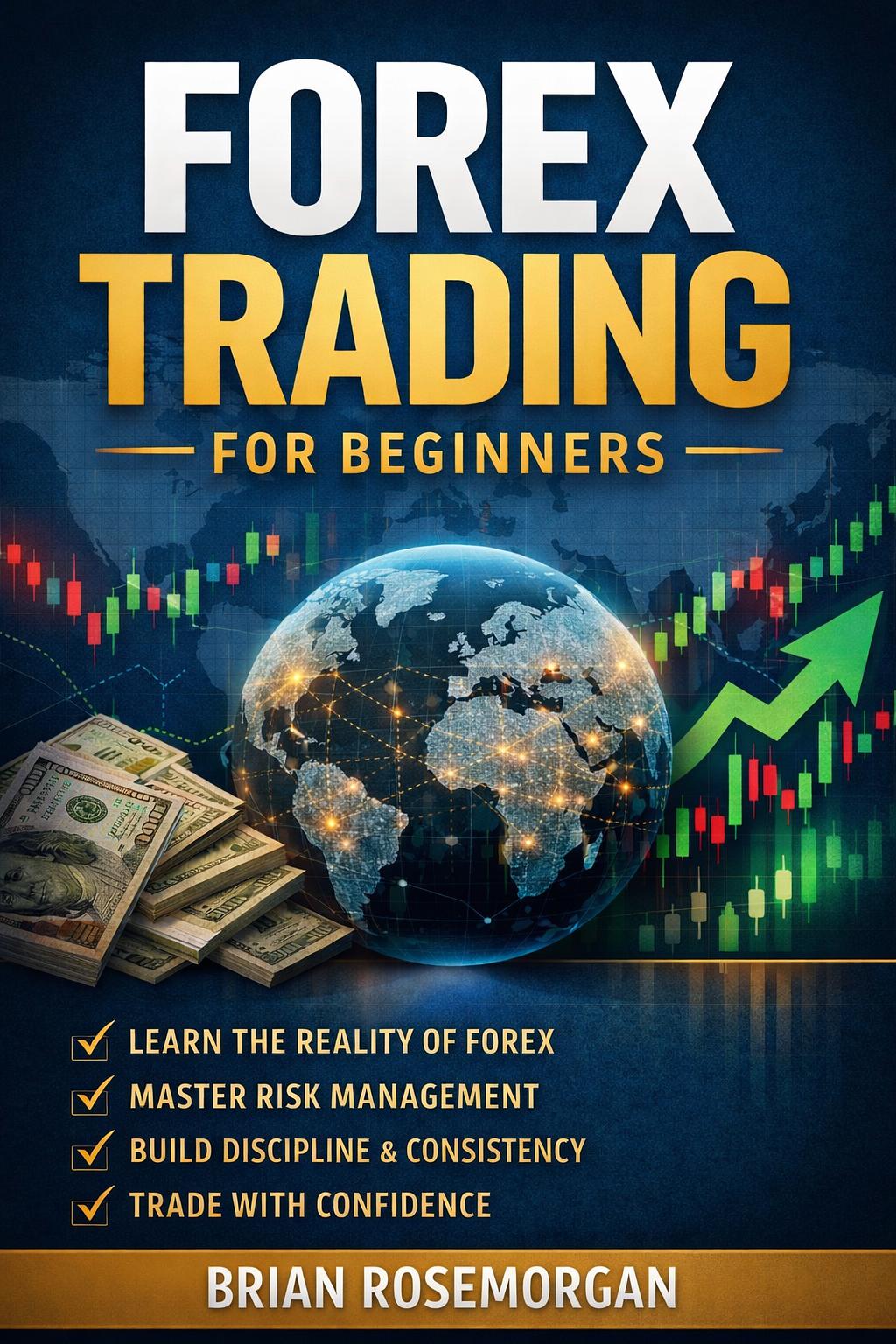
If you’ve enjoyed this free Academy, my book brings the essential principles of forex trading together in one structured beginner-friendly guide. It complements the lessons on TryBuying by giving you another way to review the foundations, risk management and practical concepts involved in learning forex.
🎉 Lesson Complete
Congratulations! You have completed Forex VPS Explained.
Click below to record your progress and return to the Academy.
Your progress will be saved automatically. Return to the Academy and continue with your next lesson whenever you’re ready.
Disclaimer: Forex trading and CFDs involve significant risk and may not be suitable for every investor. The information provided on this website is for educational purposes only and should not be considered financial, investment, or trading advice. Always verify that your broker is properly regulated before depositing funds, and practise on a demo account before trading with real money. Never risk money you cannot afford to lose. Past performance does not guarantee future results. Please read our full Risk Disclosure.